
Using React DOM Components
The reactive components in the ui-react-dom module let you declaratively display parts of a Store in a web browser, where the ReactDOM module is available.
These are specifically designed to render HTML content in a browser. Here are a few representative examples:
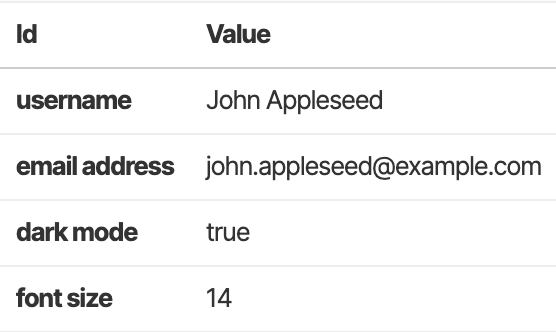
The ValuesInHtmlTable component is the simplest way to render Store values:
The RelationshipInHtmlTable component renders related local and remote rows side by side:
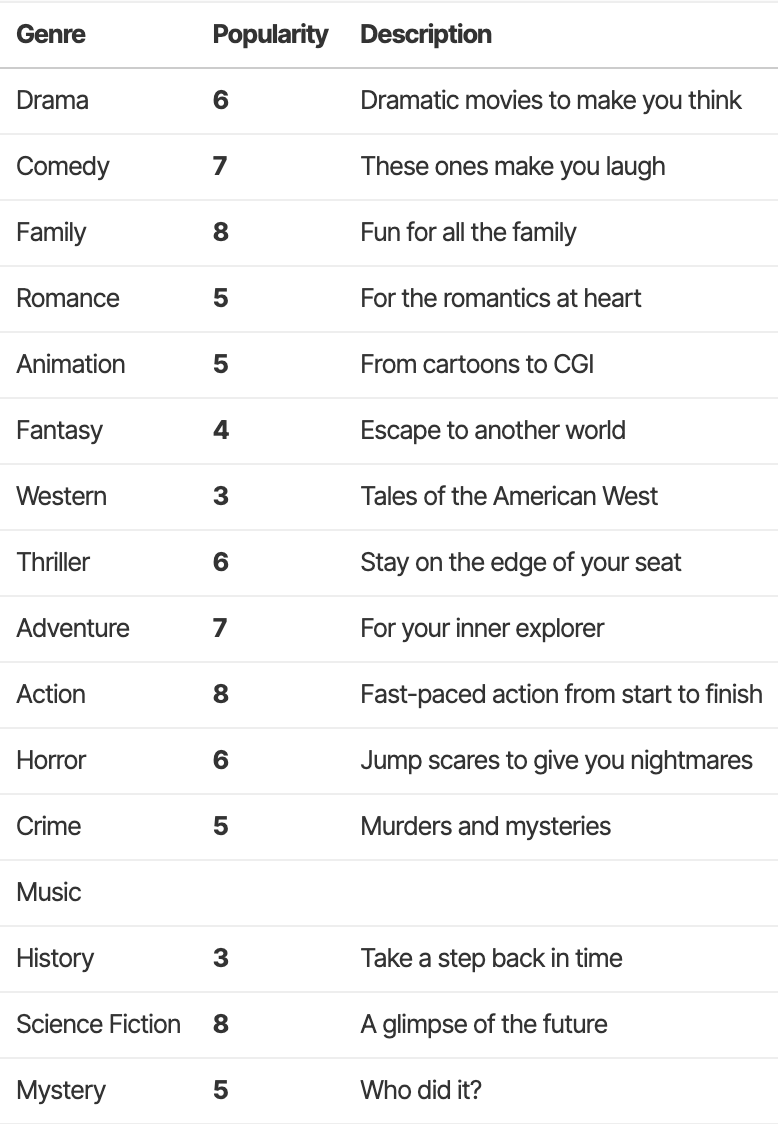
Styling and class names are intentionally basic, since you are expected to style them with CSS to fit your app's overall visual language.
The easiest way to understand these components is to see them all in action in the UI Components (React) demos. There are table-based components for rendering Tables, sorted Tables, Values, and so on:
| Component | Purpose | |
|---|---|---|
ValuesInHtmlTable | Renders Values. | demo |
TableInHtmlTable | Renders a Table. | demo |
SortedTableInHtmlTable | Renders a sorted Table, with optional interactivity. | demo |
SliceInHtmlTable | Renders a Slice from an Index. | demo |
RelationshipInHtmlTable | Renders the local and remote Tables of a relationship | demo |
ResultTableInHtmlTable | Renders a ResultTable. | demo |
ResultSortedTableInHtmlTable | Renders a sorted ResultTable, with optional interactivity. | demo |
There are also editable components for individual Cells and Values:
| Component | Purpose | |
|---|---|---|
| EditableCellView | Renders a Cell and lets you change its type and value. | demo |
| EditableValueView | Renders a Value and lets you change its type and value. | demo |
The EditableValueView component shows the inline editing controls used by the editable components:
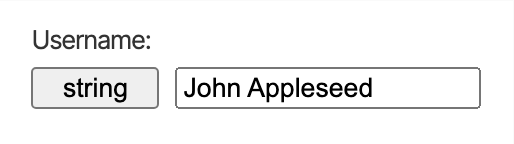
If you also want a development overlay for inspecting and editing Stores, Indexes, Relationships, Queries, and other TinyBase objects, use the ui-react-inspector module and the
We finish off this section with a best practice to avoid passing the global Store down into components. Please proceed to the Using Context guide!